Need help in using our WordPress theme?

Categories are convenient ways to organize your Team items, that can be added to more than just one category.
To create new Team Category, navigate in WordPress Dashboard to Team > Team Categories.

|
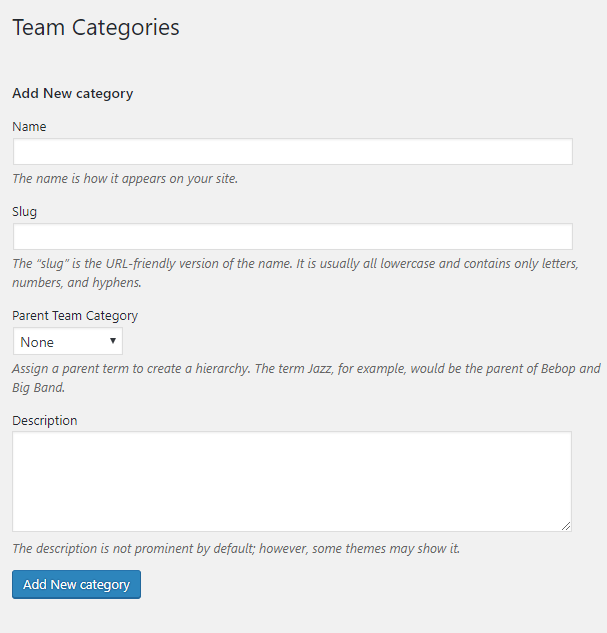
The Team Categories page will show, here you can add the details of the Team Category that you would like to create.
|
After adding all the details, click on Add New category to save.
To delete a Category, navigate your Dashboard to Team > Team Categories.
In the Team Categories page, you will see all the created category.
To delete a category, you have two options:
Single Delete - Hover your mouse pointer on the category that you would like to delete. You will see a Delete option pop-up. Click on Delete to delete.
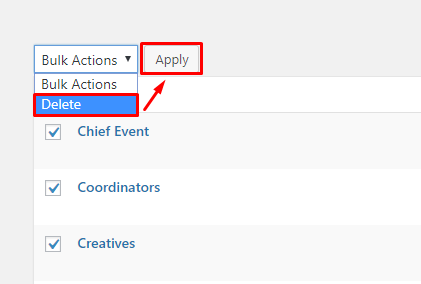
Multiple Delete - To delete multiple categories, click on the box beside the categories you would want to delete. Then click on the drop-down box for Bulk Actions and choose the Delete option. Click on Apply button to delete.